

Home / Case studies
Case studies

Complex ERPNext delivery, done right.

How we take Indian businesses and enterprises from disconnected systems to one engineered platform, building the custom ERPNext and Frappe features each business actually runs on.

  1. Finance
  2. Sales & CRM
  3. Stock
  4. Projects
  5. People
  6. ERPNextengineered to fit
  7. One P&L
  8. Unified stock
  9. Live visibility
PublishingFinance & ConsolidationProject Integration

Group consolidation and inter-division accounting for a multi-division publishing house

A publishing group running several semi-autonomous divisions (academic, trade and digital imprints) needed one financial truth across the group, without losing division-level accountability, and without the manual reconciliation that came with it.

The challenge

Each division operated as its own P&L unit on separate spreadsheets. Month-end consolidation was rebuilt by hand in Excel every cycle: slow, fragile and impossible to audit. Divisions constantly transacted with one another (shared print runs, editorial services, rights licensing), and every one of those inter-division transactions had to be reconciled manually on both sides. Worst of all, the cost of producing each title lived in a project system that never spoke to the ledger, so nobody could see true title- or division-level profitability.

Financial statements on a desk with a pen and calculator
  1. DivisionsAcademic · Trade · Digital · Rights
  2. Inter-divisionentries & elimination
  3. ConsolidatedGroup P&L
  4. Project moduletitle cost & revenue
Divisions post to their own books. Inter-division activity is eliminated on the way to a consolidated group P&L, with project costs feeding in.

What we delivered

Group company structure

A parent-and-division company hierarchy in ERPNext on a unified chart of accounts, so every division reports into one consolidated group while keeping its own books.

Automated inter-division entries

When one division bills another, matched double-sided journal entries are generated automatically. Elimination entries are applied on consolidation, so intercompany activity nets to zero at group level.

On-demand consolidation

Consolidated P&L, balance sheet and cash flow at both group and division level, produced on demand instead of rebuilt each month.

Project module integration

Every title in production posts WIP, cost and revenue to the correct division ledger through shared project and cost-centre dimensions, making title-level profitability visible in real time.

Results

~10 → 2 daysMonth-end close time
ZeroManual inter-division reconciliation
Real-timeTitle & division-level P&L

ERPNext modules & customisations

  • Accounts
  • Multi-company
  • Consolidated Financial Statements
  • Inter-company Journal Entries
  • Cost Centers & Dimensions
  • Projects
  • Custom automation
Architecture & DesignProject AutomationProcurement

Project automation, resource-aware assignment and vendor catalogues for an architectural design firm

A design and interiors practice running dozens of concurrent projects needed to stop losing tasks in chat and spreadsheets, balance a stretched design team, and bring order to how it bought from vendors.

The challenge

Project work was tracked across email, messaging and spreadsheets, so tasks slipped and hand-offs were unclear. Recurring obligations such as weekly design reviews, statutory approvals and client sign-offs depended on someone remembering them. Work was assigned with no visibility into who was actually free, leaving some designers overloaded while others sat idle. And procurement was ad hoc: no standard vendor catalogues, no consistent pricing and no clean audit trail.

Interior material samples spread across a design studio desk
  1. Project templateby project type
  2. auto
  3. Task treeauto-generated
  4. Recurring tasksscheduler
  5. availability
  6. Resource-awareassignment
  7. Vendor catalogue& procurement
A project template auto-builds the task tree and recurring tasks feed in. Work is routed by real availability, with catalogue-driven procurement alongside.

What we delivered

Complete project module

Project templates by project type, with a phase-and-stage hierarchy and task dependencies that mirror how the studio actually runs a job from brief to handover.

Task automation

Creating a project auto-generates the full task tree from its template. No more manually rebuilding the same checklist for every new job.

Recurring tasks

A scheduler auto-creates periodic tasks (design reviews, compliance checks, client updates), so nothing recurring depends on memory.

Resource-availability assignment

A capacity model tracks each team member's current allocation. New tasks are routed to people with genuine availability, and a workload dashboard lets leads rebalance at a glance.

Vendor catalogues

Standardised vendor item masters with per-vendor price lists and approved-vendor mapping, driving catalogue-based purchase requests and RFQs with consistent pricing and a full audit trail.

Results

On-timeImproved project delivery rate
BalancedTeam utilisation across the studio
StandardisedAuditable, catalogue-driven procurement

ERPNext modules & customisations

  • Projects
  • Tasks
  • Project Templates
  • Assignment Rules
  • Scheduler / Recurring
  • Buying
  • Supplier & Price Lists
  • Custom resource engine
Pharma & MedicalField Force AutomationGeo-tagged & Mobile

A complete sales-representative system, from tour plan to geo-tagged doctor visit

A pharmaceutical company needed to make its field force visible and accountable end to end: every medical representative's day, from the plan they set to the doctors they actually met, the samples they left and the targets they hit.

The challenge

Between the office and the field, the reps' work was effectively invisible. Tour plans lived on paper with no way to check adherence, and there was no reliable proof that a doctor was actually visited. Physician samples went out untracked, creating both leakage and compliance risk. Targets were set in spreadsheets and reconciled by hand, so achievement was always known late, and managers had no real-time view of coverage, call activity or who was performing.

Doctor in consultation with a patient at a clinic
  1. Tour planmonthly
  2. Geo-tagged visitGPS + time
  3. Sampleslogged
  4. Call reportdaily
  5. Target vs achieveddashboard
  6. continuous cycle
The rep's full cycle runs as a loop (plan, geo-tagged visit, samples, call report and achievement) rolling into live manager dashboards.

What we delivered

Full MR lifecycle

Doctor, chemist and stockist masters with segmentation, monthly tour planning with approval, and daily call reporting. The representative's entire cycle is captured in one system.

Geo-tagged doctor visits

A mobile check-in captures GPS location and timestamp the moment a rep meets a doctor, validating each in-clinic call against the doctor's mapped location so a visit is proven, not just claimed.

Sample & input management

Samples and inputs are issued with running carry-forward balances and logged per doctor, giving a clean, auditable distribution trail that stands up to compliance scrutiny.

Target vs achievement

Targets set by representative, territory and product, with primary and secondary sales captured and live achievement dashboards showing the gap in real time.

Manager hierarchy & dashboards

Coverage percentage, call averages, plan adherence and top and bottom performers rolled up the reporting line, so area and regional managers see the field as it happens.

Mobile-first for the field

A mobile-first app for reps on the move, designed to work in low-connectivity field conditions so reporting never depends on being at a desk.

Results

VerifiedGeo-tagged in-clinic coverage
Real-timeTarget vs achievement visibility
AuditableSample distribution trail

ERPNext modules & customisations

  • Custom Field Force app
  • Doctor / Chemist / Stockist masters
  • Tour Planning
  • Daily Call Report
  • Geo-location capture
  • Sample Inventory
  • Targets & Achievement
  • Dashboards
  • Mobile PWA
B2B SalesCRMBANT Framework

A BANT-driven CRM that qualifies the pipeline before reps chase it

A growing B2B sales team was spending effort on poorly-fit leads with no consistent way to qualify them. We rebuilt their ERPNext CRM around the BANT framework, so qualification and prioritisation happen by design.

The challenge

Reps pursued whatever came in, with no shared definition of a good lead, so conversion stayed low and forecasting was guesswork. The CRM also sat apart from quoting and order management, breaking the thread between a promising conversation and an actual deal.

Two business people discussing a deal over coffee
  1. Leadsall inbound
  2. BANT scoringB · A · N · T
  3. Qualification gatethreshold
  4. Opportunityqualified
  5. Quotation → Orderwon
  1. BANT captured as data:
  2. Budget
  3. Authority
  4. Need
  5. Timeline
Budget, Authority, Need and Timeline are captured as data and scored, gating the funnel so only qualified deals move toward quotation and order.

What we delivered

BANT qualification model

Budget, Authority, Need and Timeline captured as structured fields on every lead and opportunity, turning a mental checklist into shared, reportable data.

Automated BANT scoring

Each opportunity is scored automatically from its BANT inputs, giving every deal a consistent, comparable qualification signal.

Qualification gates

Opportunities can't advance to later stages until they clear BANT thresholds, keeping unqualified deals out of the forecast.

Auto-prioritisation

High-BANT leads are surfaced to reps first, while low-fit leads are routed to nurture instead of consuming selling time.

Full-funnel integration

Web enquiry → lead → BANT-qualified opportunity → quotation → sales order, all in one connected thread inside ERPNext, with dashboards for BANT-weighted pipeline and forecast.

Results

HigherWin rate on qualified deals
CleanerSmaller, higher-quality pipeline
ReliableBANT-weighted forecasting

ERPNext modules & customisations

  • CRM
  • Lead & Opportunity
  • Custom BANT fields
  • Scoring engine
  • Workflow / Stage gates
  • Quotation
  • Sales Order
  • Dashboards
Enterprise FinanceBank IntegrationTreasury Automation

Bank integration with automated MT940 reconciliation and BRS-driven fund movement

A high-volume enterprise was burying its finance team in manual bank reconciliation. We built a hands-off treasury loop: statements pulled from email, payments auto-matched, and settled cash moved to the operating account only after reconciliation.

The challenge

Heavy inbound and outbound payment volume was flowing through a single bank account, so collections, disbursements and operating funds were impossible to tell apart. Every cycle, the finance team downloaded statements by hand and matched them line by line. It was slow, error-prone and a recurring bottleneck at month-end.

Laptop showing financial charts on a glass table
  1. Bank emailMT940
  2. Auto-parsestatement
  3. Bank txnscreated
  4. Auto-matchpayments
  5. BRSreconcile
  1. Incomingcollections
  2. Outgoingdisbursements
  3. after BRS transfer
  4. Homeoperating
MT940 arrives by email, parses into bank transactions and auto-matches payments. After BRS, the outgoing balance moves to the home account.

What we delivered

Three-account architecture

Dedicated Incoming, Outgoing and Home accounts modelled in ERPNext, giving clean separation and control over every stream of cash.

Automatic MT940 from email

An inbox monitor fetches the MT940 statements the bank emails, parses them and creates bank transactions. No manual download or upload anywhere.

Automatic sync & reconciliation

Payment entries auto-match on reference, amount and date. Clean matches reconcile themselves, and only exceptions surface for review.

BRS-driven fund movement

Once the outgoing account is reconciled, the balance is auto-transferred to the Home account, so operating cash is always settled and reconciled.

Scheduled, hands-off cycle

Fetch, parse, sync, reconcile and transfer run on a schedule, with a full audit trail from statement to ledger.

Results

AutomatedNear real-time reconciliation
SeparatedIncoming, outgoing & operating cash
Reconciled-onlySettled cash in home account

ERPNext modules & customisations

  • Accounts
  • Bank & Bank Account
  • Bank Transaction
  • Bank Reconciliation
  • MT940 parser
  • Email integration
  • Payment auto-match
  • Inter-bank transfer
ManufacturingContract ManufacturingMulti-level Subcontracting

Contract manufacturing where one production plan moves work through a chain of subcontractors into finished goods

A contract manufacturer produced entirely through outside job-workers, with semi-finished stock passing directly from one subcontractor to the next. We modelled that whole chain from a single production plan, without forcing material back to the plant between stages.

The challenge

Every product was built across a sequence of subcontractors, each performing one stage, with the output of one becoming the input of the next. Standard subcontracting assumes material returns to the company between stages. Here it moved supplier to supplier, so stock-at-vendor, WIP and valuation were nearly impossible to track at each hop.

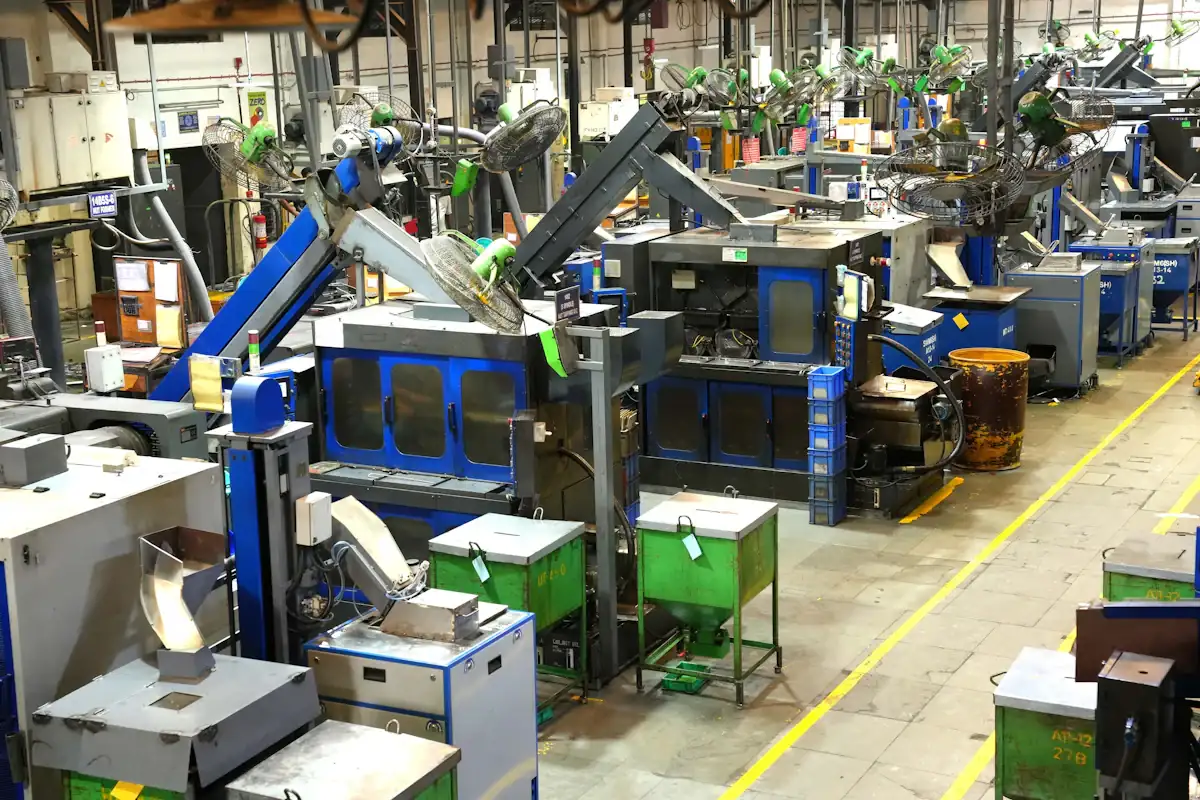
Factory floor with production machinery
  1. Production Planone plan
  2. orders
  3. Subcontractor Astage 1
  4. SFG
  5. Subcontractor Bstage 2
  6. SFG
  7. Subcontractor Cstage 3
  8. FG receipt
  9. Finished Goodsinto stock
One production plan drives a sequence of subcontractors. Semi-finished goods pass supplier to supplier until the final stage delivers finished goods.

What we delivered

Plan-driven subcontracting chain

A single production plan generates the full sequence of subcontracting orders across every vendor in the route.

Stage-wise BOMs

Each stage carries its own BOM: its inputs, its job-work service cost and the semi-finished output that becomes the next stage's input.

Direct supplier-to-supplier transfer

Semi-finished output moves straight to the next subcontractor without routing back through the plant, while staying fully recorded in stock.

Stock & WIP at every hop

Supplied materials, WIP and stock held at each subcontractor are tracked with valuation at every stage.

Rolled-up FG receipt

The final stage receives the finished good with a cost that rolls up materials and every stage's service charge, with per-subcontractor reconciliation.

Results

One planOrchestrates the vendor chain
Per-stageStock & WIP visibility
AccurateRolled-up FG costing

ERPNext modules & customisations

  • Manufacturing
  • Production Plan
  • Subcontracting Order
  • Subcontracting Receipt
  • Subcontracting BOM
  • Multi-level engine
  • Stock at Subcontractor
  • Valuation
HospitalityCentral Kitchen & ButcherySystems Integration

One financial and stock backbone for a hotel, its restaurants, central kitchen and butchery

A hospitality group ran a hotel, several restaurants, a central kitchen, a butchery, staff accommodation and guest activities, each on its own disconnected system. We made ERPNext the single layer beneath all of them, so management finally saw one set of numbers and one view of stock.

The challenge

The hotel software, restaurant POS terminals, central kitchen and guest-activity systems all ran in silos, none talking to each other. There was no single financial picture, stock was invisible across kitchen and outlets, the butchery's yield was never properly costed, and staff accommodation and meals weren't accounted for cleanly. Leadership couldn't see true profitability by outlet or property.

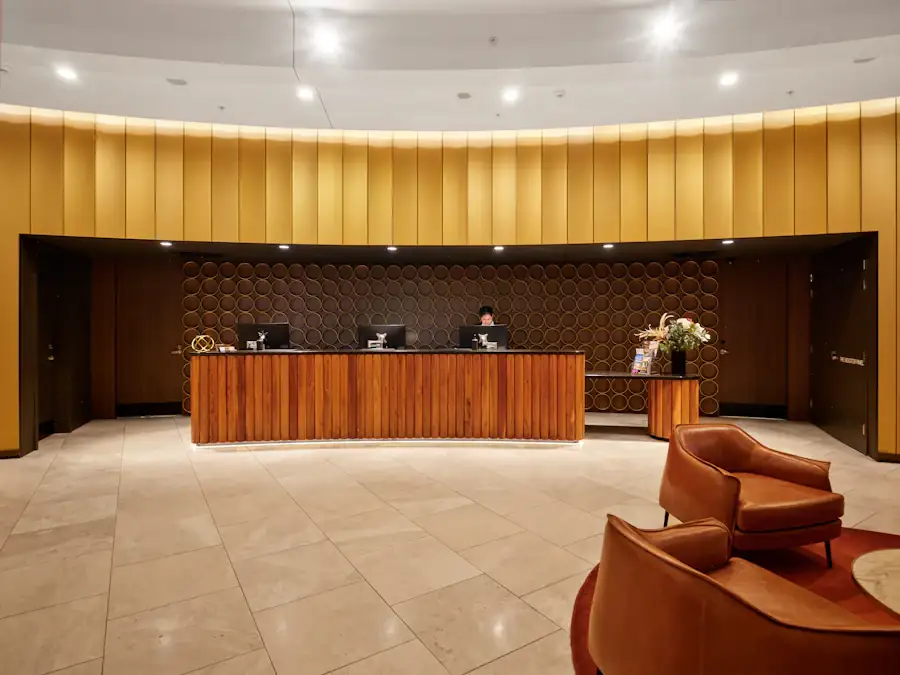
Hotel lobby and reception desk
  1. Hotel PMS
  2. Restaurant POS
  3. Central Kitchen
  4. Butchery
  5. Guest Activities
  6. Staff & Meals
  7. ERPNextone core
  8. Consolidated financials
  9. Unified stock
  10. Management dashboards
Fragmented systems (PMS, POS, kitchen, butchery, activities, staff) all feed one ERPNext core that produces consolidated financials, unified stock and dashboards.

What we delivered

One integration layer

The PMS, restaurant POS, central kitchen and guest-activity systems were connected into ERPNext, so sales, consumption and guest charges flow into one core.

Central kitchen / commissary

Kitchen production and inter-outlet transfers modelled end to end, with recipe-based costing behind every dish.

Butchery operations & yield

Whole-carcass purchases broken into cuts with yield conversion and byproduct handling, so each cut is valued and yield becomes controllable.

Staff accommodation & meals

Staff housing and the meal plan captured and costed against the right cost centres instead of leaking into food cost.

Unified stock & consolidated financials

One inventory across the kitchen and every outlet, with all outlets rolling into one set of books and outlet-level P&L for leadership.

Results

SingleSource of truth across outlets
Real-timeStock from kitchen to outlet
Outlet-wiseProfitability & butchery yield

ERPNext modules & customisations

  • PMS/POS/activity integration
  • Central Kitchen
  • Recipe & BOM costing
  • Butchery yield
  • Inter-outlet Transfer
  • Multi-warehouse
  • Accounts & Cost Centers
  • Staff meal & accommodation
HospitalityKitchen ProductionCombos & Cut Codes

Cut codes, kitchen production and combo tracking for a hotel

A hotel needed its kitchen to run on the same system as its stores and accounts. We set up cut codes, kitchen production and combo tracking in ERPNext, so every portion, prepared item and combo sold draws down the right stock at the right cost.

The challenge

Meat and produce were bought in bulk but used as specific cuts and portions, and nothing linked the two. Kitchen production happened outside the system, so prepared items never showed up in stock. Combos sold at the counter were recorded as a single line, which left the items inside them untracked and food cost guesswork.

Hotel lobby with reception desk
  1. Bulk purchase
  2. Cut codes
  3. Kitchen productionin ERPNext
  4. Dishes & combos sold
  5. Stock & food cost
Bulk stock is broken into coded cuts, cuts and ingredients go into recorded kitchen production, and every dish or combo sold draws down the right items.

What we delivered

Cut codes

Each cut and portion has its own code, linked back to the bulk item it comes from, so purchases convert into the cuts the kitchen actually uses.

Kitchen production

Prepared items are produced in ERPNext against recipes, consuming ingredients and adding finished items to kitchen stock.

Combo tracking

Each combo is broken into its component items, so a combo sale reduces the stock of everything inside it and its cost is known.

Results

Per cutBulk stock traced to every portion
RecordedKitchen production in the system
Per comboComponent stock and cost

ERPNext modules & customisations

  • Cut codes
  • Kitchen production
  • Recipe & BOM
  • Combo / product bundle tracking
  • Stock & warehouses
  • Food costing
Ask Ovi

Ask anything about ERPNext or Frappe

Get a short, honest answer in seconds — no sales pitch. A real person is one click away when you're ready.

Chats are stored to improve this assistant. Please don't share sensitive personal details.

Have a problem like these?

Tell us how your business runs, and we'll show you how ERPNext can fit it.